Run your loyalty program from an AI assistant
Thrice has an MCP server, so Claude, ChatGPT, Cursor and other AI assistants can read and manage your loyalty program when you ask in plain language. Each connection belongs to one store and works with the access you give it.
Tell me when it's liveFree up to 200 member orders a month. No sales call.
What you can ask
The assistant works with almost everything in Thrice: ways to earn, rewards, VIP tiers, challenges, referrals, settings, store design, the page builder, texts and languages, emails, customers and points, segments, analytics, import and export, the team, webhooks and API keys.
For example: “Run double points this weekend.” “Make the rewards panel match our brand colours.” “Show me the members at risk.” “Add 500 points to jane@example.com for the survey.” “How did loyalty revenue compare with the month before?”
Connecting an assistant
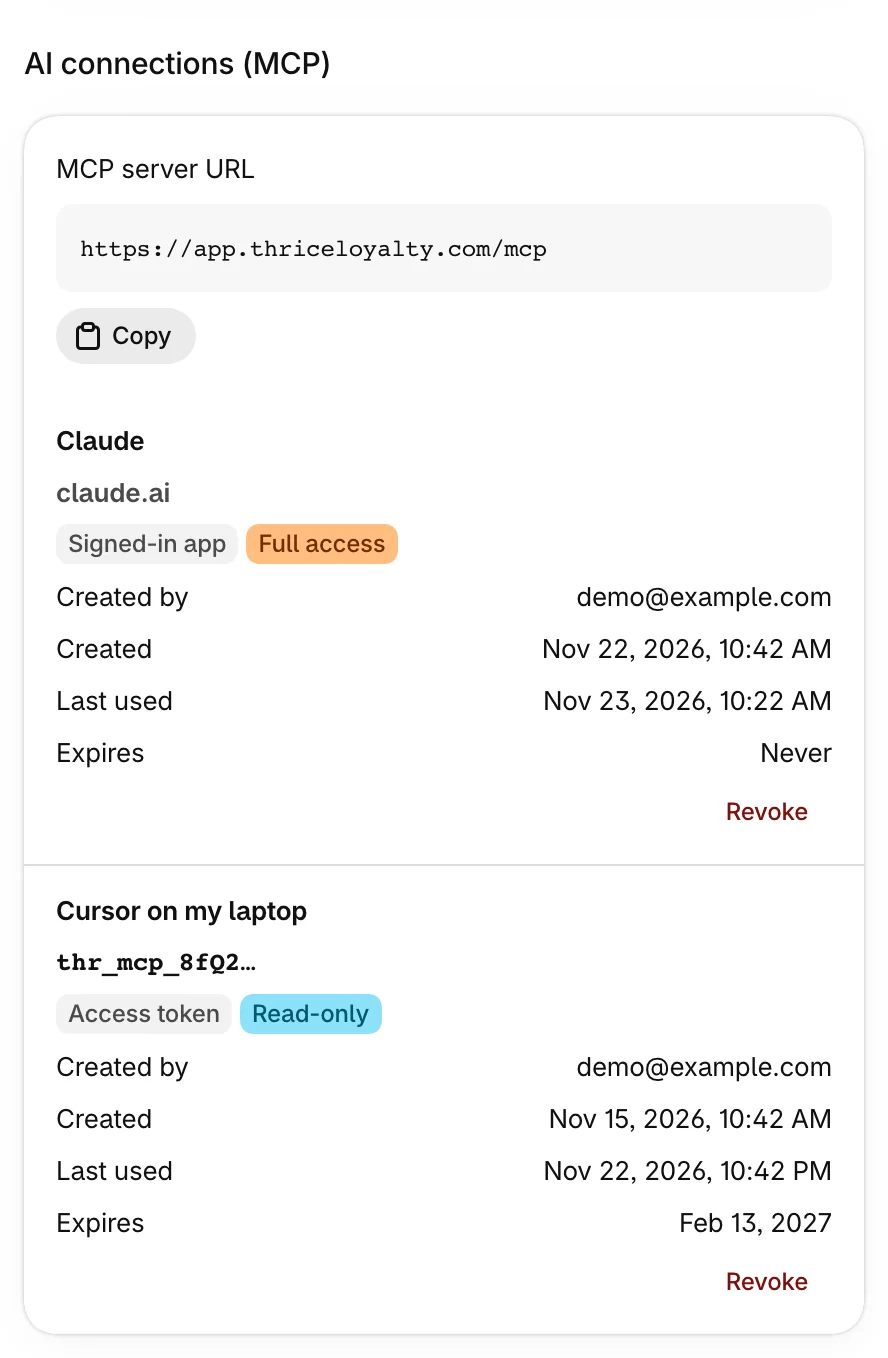
The server address is https://app.thriceloyalty.com/mcp for every store. In claude.ai, Claude Desktop and ChatGPT you add it as a custom connector, sign in to Thrice, choose the store and the access, and choose Allow access.
Cursor, and tools that can't sign in through the browser, use an access token you create on the Developers page. A token expires in 30 days, 90 days, a year or never, as you choose, and is shown only once.
Read-only or full access
A read-only connection sees your program, settings, customers and reports, and changes nothing: the tools that change something are not offered to it. Full access can also make changes, as you can in the panel.
A connection never gets more than the role of the person behind it. Viewers can only connect read-only, roles are checked on every request, and removing someone from the team revokes every connection they made.
What keeps it safe
Custom blocks and page code the assistant writes stay in the page builder's draft, which shoppers don't see, and publishing code needs an explicit confirmation. Design changes, custom CSS included, go live at once, as they do in the panel. Points changes carry an idempotency key, so a retried request doesn't add the points twice.
Every change and every read of customer data goes to the store's access log with the connection's name. You can revoke a connection on the Developers page at any time, and it loses access at once. The assistant can't create tokens, delete customer data, change your plan or billing, make anyone an owner or redeem a reward for a customer.
Questions
Which AI assistants work with Thrice?
Any client that supports remote MCP servers over HTTP. Claude (claude.ai and Claude Desktop), ChatGPT, Claude Code and Cursor are covered step by step in the MCP docs.
Can the assistant see my customers' names and emails?
Lists show masked emails and no names. A full name and email appear when the assistant looks up one customer and in exports, which are for admins and owners; the skipped rows of a member import also show the file's emails to them. Each of these reads is recorded in the access log.
What if the assistant gets something wrong?
Page builder code waits in the draft until it is published, and an earlier page version can be put live again. Deleting, resetting and undoing can't be reversed from the assistant, so it is told to ask you first. If you only want answers, connect with read-only access.
Is the MCP server included in every plan?
Yes, on every plan, Free included, like the REST API and webhooks. You need an AI assistant that supports MCP; what it costs is up to its maker.